
Screen RecordingEdit in the transcript, or let AI polish the video
Record your Mac screen, camera, microphone, and system audio in 4K. Delete spoken mistakes and wrong clicks in the transcript, or ask the built-in agent to cut false starts, zoom on your clicks, and turn the recording into a demo, a step-by-step guide, or a bug report.
Coming soon for Mac with Apple silicon and macOS 26.4 or later.
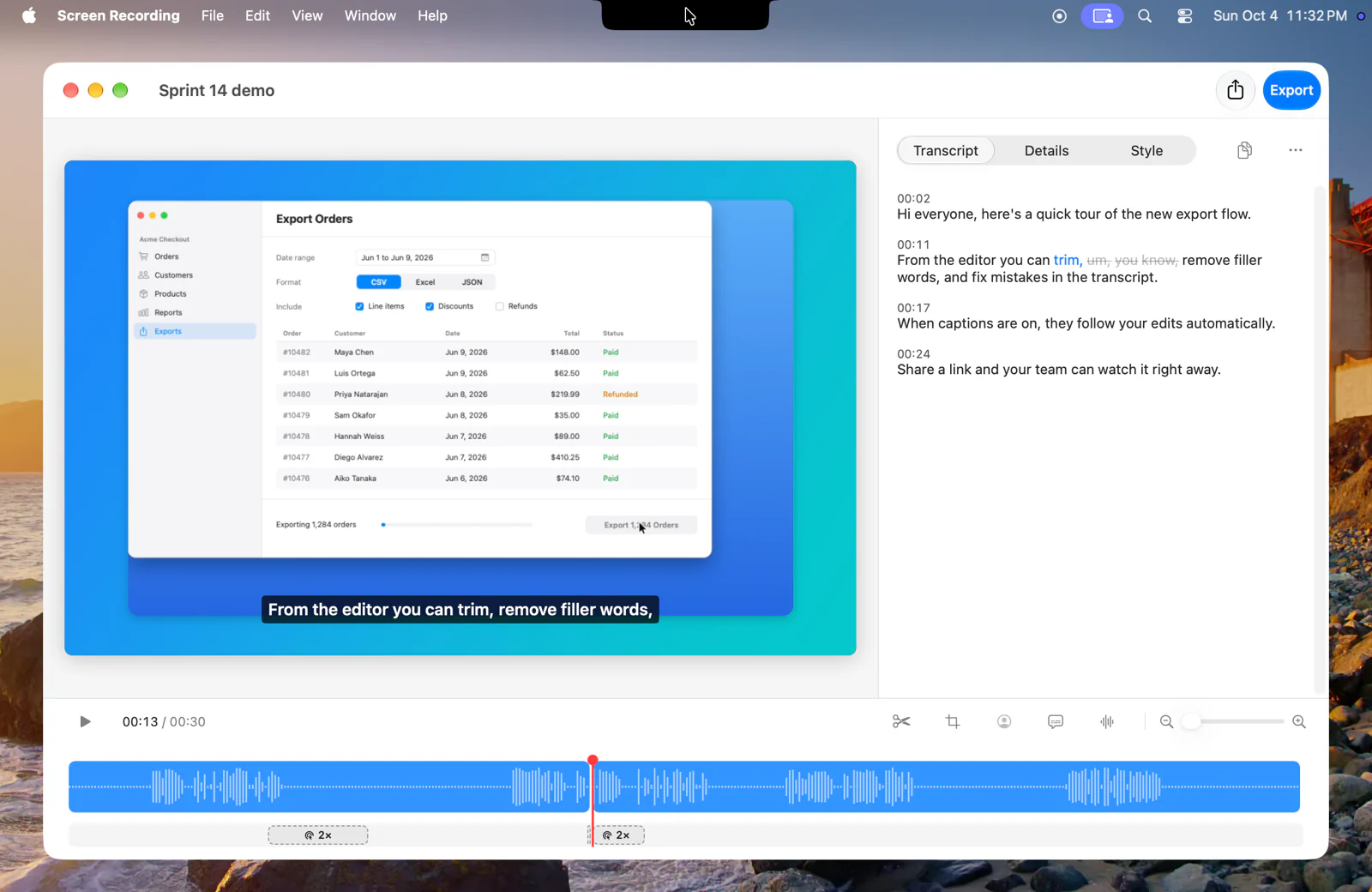

Cut mistakes, zoom on clicks, or hand the edit to AI
Explore all featuresEdit words and screen actions
Delete a sentence or a stretch of wrong clicks and the video closes the gap. Remove filler words, stutters, and long pauses in one pass, or record a replacement line in place.
Learn more about Edit words and screen actionsZoom on clicks and smooth the cursor
Zooms follow your clicks, the cursor moves smoothly to each target, Studio Sound isolates your voice, and your camera switches between full frame and a corner bubble.
Learn more about Zoom on clicks and smooth the cursorLet AI finish the demo or write the guide
Ask the built-in agent to cut false starts and dead air, zoom on key clicks, or turn the recording into a step-by-step guide or bug report. You can also connect Claude Code and Codex over MCP.
Learn more about Let AI finish the demo or write the guideCover private details and keep one window
Scan a recording for emails, phone numbers, card numbers, keys, customer names, and notifications, and cover them across scrolling, captions, and audio. If you recorded your whole display, isolate one window and fill the rest with your background.
See how privacy and covers workShare an MP4 or hand off the timeline
Drag a 1080p MP4 out of the floating thumbnail that appears when you stop recording, or share through AirDrop, Messages, and Mail. Export 4K HEVC, ProRes 422 HQ, looping GIFs, HTML or PDF guides, or an XML timeline for Final Cut Pro, Premiere Pro, and DaVinci Resolve.
See sharing and export formatsRecord and edit on your Mac for free
Screen Recording records, transcribes, and edits on your Mac with no watermark, no time limit, and no account required. Your recordings stay on your Mac unless you share them.
See what is includedSee how Screen Recording fits your work
See all use casesExplore use cases
Record launch demos, illustrated tutorials, bug reports, coding-agent handoffs, and quick replies.
Learn more about Explore use casesCompare screen recorders
See how Screen Recording compares with Loom, Screen Studio, Camtasia, Cap, and QuickTime Player.
Learn more about Compare screen recordersRecord your screen on a Mac
Learn every way to record your Mac screen and system audio, from Shift-Command-5 to a full edit.
Learn more about Record your screen on a Mac